
Whether you are buying a new smartphone, laptop, monitor, or TV, two display terms always appear — pixels and resolution. These two words sound similar but they describe different things.
Most people get confused, so in this guide, we’ll explain everything in simple, everyday English.
You will learn:
- What display pixels are
- What screen resolution means
- Why both matter
- How they affect screen quality
- Clear examples for phones, laptops, and TVs
Let’s begin.
What Are Display Pixels?
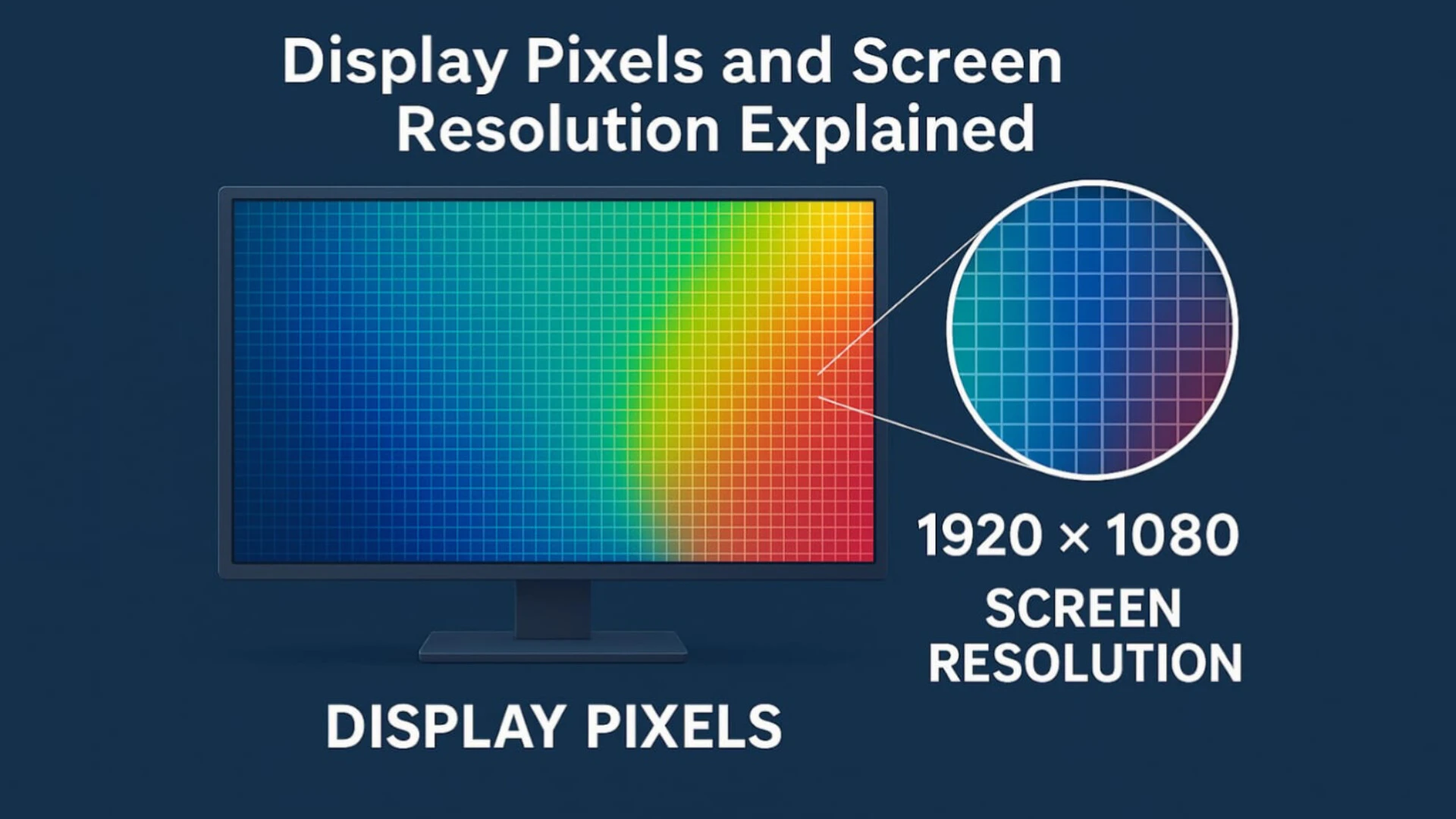
A pixel (short for “picture element”) is the smallest dot of color and light on any screen. Your display is made up of millions of tiny pixels that turn ON and OFF to form images, videos, icons, and text.
If your screen has more pixels, it can show more details.
✔ Example of pixel count
If a display is labeled:
2400 × 1080 pixels
It means:
- 2400 pixels horizontally (width)
- 1080 pixels vertically (height)
Total pixels = 2400 × 1080
= 2,592,000 pixels (about 2.6 million pixels)
These pixels work together to show sharp images.
How Pixels Affect Image Quality
Pixels are like tiny building blocks.
Think of it like this:
If a wall has more bricks, it looks smoother.
If a screen has more pixels, the picture looks sharper.
Pixels determine:
- How detailed photos look
- How smooth text appears
- How clear videos play
- Whether you can zoom without losing quality
More pixels → more clarity.
What Is Screen Resolution?
Resolution describes how clear and sharp the screen looks.
It is not only about pixel count — it also depends on screen size.
Resolution is usually measured in:
- Pixels (1920×1080, 2560×1440)
- Resolution names (HD, Full HD, 2K, 4K)
- Pixel density (PPI = pixels per inch)
✔ Simple definition:
“Resolution is the sharpness of the display.”
Why Screen Size Matters in Resolution
Two screens may have the same number of pixels, but the smaller one will look sharper.
✔ Example:
- A 6.5-inch phone with 1080p = very sharp
- A 24-inch monitor with 1080p = average sharpness
- A 43-inch TV with 1080p = less sharp
This happens because the same number of pixels are stretched across different sizes.
Pixel Density (PPI)
PPI stands for Pixels Per Inch. This measures how closely pixels are packed together.
- Higher PPI = sharper images
- Lower PPI = slightly blurry images
Phones usually have the highest PPI because the screen is small.
Typical PPI ranges:
- Smartphones → 300 to 450 PPI
- Laptops → 100 to 170 PPI
- TVs → 50 to 80 PPI
Difference Between Pixels and Resolution
| Feature | Display Pixels | Resolution |
|---|---|---|
| Meaning | Total number of dots on screen | Sharpness of the display |
| Based on | Pixel count only | Pixel count + screen size |
| Example | 1920×1080 pixels | Full HD (1080p) |
| Indicates | Quantity | Quality |
| Affects | Detail level | Clarity level |
Pixels tell the number.
Resolution tells the quality.
Common Screen Resolutions Explained
Here are the most popular resolutions:
✔ HD (720p)
- Pixels: 1280 × 720
- Found in budget phones, small TVs
- Basic quality, not very sharp
✔ Full HD (1080p)
- Pixels: 1920 × 1080
- Most common in phones, laptops, and TVs
- Good clarity and sharpness
✔ 2K / QHD (1440p)
- Pixels: 2560 × 1440
- High-end monitors, gaming phones
- Very sharp
✔ 4K UHD (2160p)
- Pixels: 3840 × 2160
- Modern TVs, premium monitors, high-end laptops
- Extremely sharp, best for large screens
✔ 8K UHD
- Pixels: 7680 × 4320
- Ultra-premium TVs
- Super high clarity but still not common
Examples: How Pixels and Resolution Work in Real Devices
✔ Smartphone Example
- iPhone 14
- Pixels: 2532 × 1170
- PPI: 460
- Very sharp because pixels are dense
✔ Laptop Example
- 15.6-inch Full HD laptop
- Pixels: 1920 × 1080
- PPI: ~141
- Average sharpness
✔ TV Example
- 55-inch 4K TV
- Pixels: 3840 × 2160
- PPI: ~80
- Looks sharp because TV is larger and viewed from distance
Why Pixels and Resolution Matter When Buying a Device
When choosing a screen, these things matter:
✔ 1. Text readability
Higher resolution makes text look clean and smooth.
✔ 2. Photo and video quality
More pixels = more detail, especially in 4K videos.
✔ 3. Gaming
Gamers prefer 1440p or 4K for a more realistic experience.
✔ 4. Professional work
Designers and video editors need high resolution for accuracy.
✔ 5. Eye comfort
Sharper screens reduce eye strain during long use.
Which Is More Important: Pixel Count or Resolution?
Both are important, but resolution (PPI) matters more in real use.
- High pixels + small screen = excellent clarity
- High pixels + large screen = good clarity
- Low pixels + large screen = poor clarity
They work together to create the best display quality.
Conclusion
- Pixels are the tiny dots that make up your screen.
- Resolution is how sharp and clear the screen looks.
- More pixels mean better detail.
- Higher resolution means better clarity.
- Pixel density (PPI) also plays a major role in sharpness.
Now you know exactly what to look for when buying a phone, laptop, monitor, or TV.